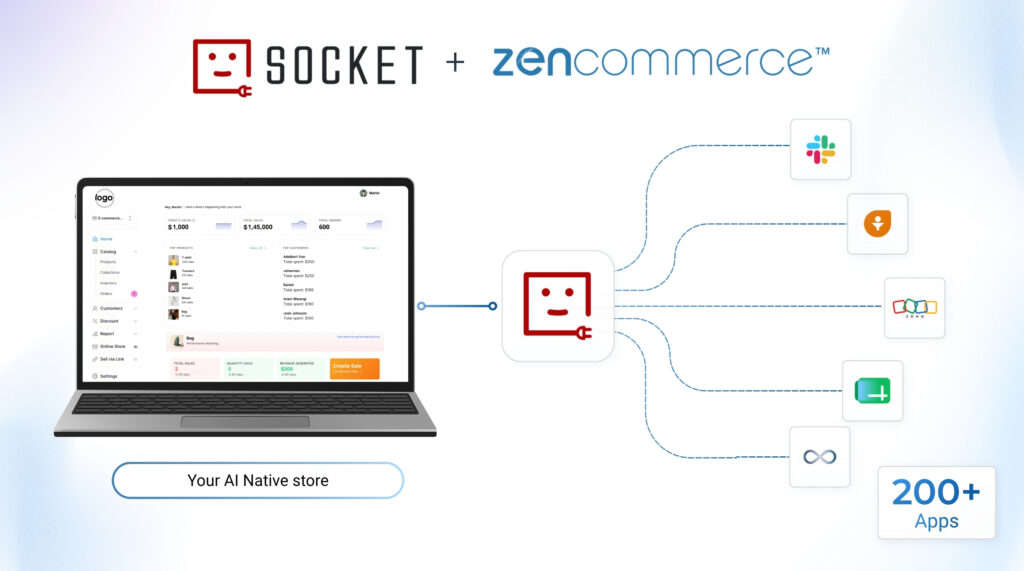
Running an online store calls for execution of multitude of activities such as new orders, updation of customer details, and your team is probably copying information between your store and other tools by hand more often than you would like. Zencommerce has partnered with viaSocket to enhance that experience. You can now connect your Zencommerce store directly to over 200+ applications seamlessly and automate through viaSocket.
Learn how to get your store connected…
Step 1: What Is viaSocket and Why It Matters for Your Store
viaSocket is an automation platform that connects apps together, so an event in one tool can automatically trigger an action in another. Zencommerce now has a dedicated integration page on viaSocket, which means your store’s data, orders, customers, products, is available to over 200+ apps without your team needing to build any of those connections yourselves.
Think of it as a bridge between your storefront and the rest of your business tools. Your CRM, your accounting software, your team’s Slack, your marketing spreadsheets. Instead of someone checking your Zencommerce dashboard and manually updating each of those tools, viaSocket watches your store for you and passes the information along the moment something happens.
Step 2: What You Can Automate
Once your store is connected, viaSocket can react to several events happening inside Zencommerce (triggers listed ) and pass that information wherever it needs to go
- A new order being placed
- An order’s payment status changing to paid
- An existing order being updated
- A new customer signing up
- A customer’s details being updated
- A new product being added to your catalog
- A product listing being updated
Each of these can trigger an action in another app such as a new order can post a message to your team’s Slack channel, add a row to a Google Sheet, create a contact in your CRM, or update your accounting software, all without anyone touching a spreadsheet.
Step 3: How to Connect Your Store
Getting your Zencommerce store connected doesn’t require any technical background or a developer in your team. The integration is built on viaSocket’s Embed technology, which is what lets Zencommerce offer this automation layer directly to you without asking you to manage
a separate platform.
From your side, connecting is simple:
- Head to the Zencommerce integration on viaSocket and choose the event you want to act on, for example “New Order Created” or “Order Status Paid.”
- Pick the app you want it connected to, whether that’s Google Sheets, Slack, HubSpot, MailChimp, or one of the 200+ other apps available.
- Map the order or customer details you want carried over, such as the order ID, customer name, or amount.
- Turn the automation on. From here, any action/event performed by you will be taken care of silently taken care of by viaSocket in the background
This is very similar to how Zencommerce already lets you connect payment gateways and shipping partners or sell directly on Social Media. viaSocket simply extends that same idea to a much wider set of apps.
Step 4: Real Automations You Can Set Up Today
Here are a few automations merchants are already setting up with this integration:
- Fulfillment alerts: Send a Slack message to your fulfillment team the moment an order’s payment is confirmed, so packing starts right away.
- Customer records: Automatically add or update a contact in your CRM, such as HubSpot or Salesforce, whenever someone places an order or creates an account.
- Inventory tracking: Log new or updated products to a Google Sheet, so your team has an always-current view of your catalog without checking the dashboard.
- Email marketing: Add new customers to your MailChimp or MailerLite list automatically, so your welcome emails go out without any manual work.
- Abandoned cart follow-up: Trigger a Gmail reminder when a payment fails at checkout, so you have a better chance of recovering that sale.
None of these need a developer to set up, and once they’re running, they stay running without anyone checking in on them.
Conclusion
As your order grows on the online store , the manual work of keeping every tool in sync grows with it. Connecting your Zencommerce store to viaSocket means your orders, customers, and product updates flow to the apps you already use, automatically, so your team can spend less time on data entry and more time on the parts of the business that actually need attention. Register for free at Zencommerce start building your first online store.
(No credit card required, it’s really free trial)
More